- TESTED all eight cards reached in one session on 2026-11-04
- IN-GAME Look around / Move to the blue area / Name your Supermarket / …
- OFFICIAL ONLY the portal says nothing about a tutorial
- NEEDS CHECK how the cards continue after the shop opens: our next one read Checkout 2 customers
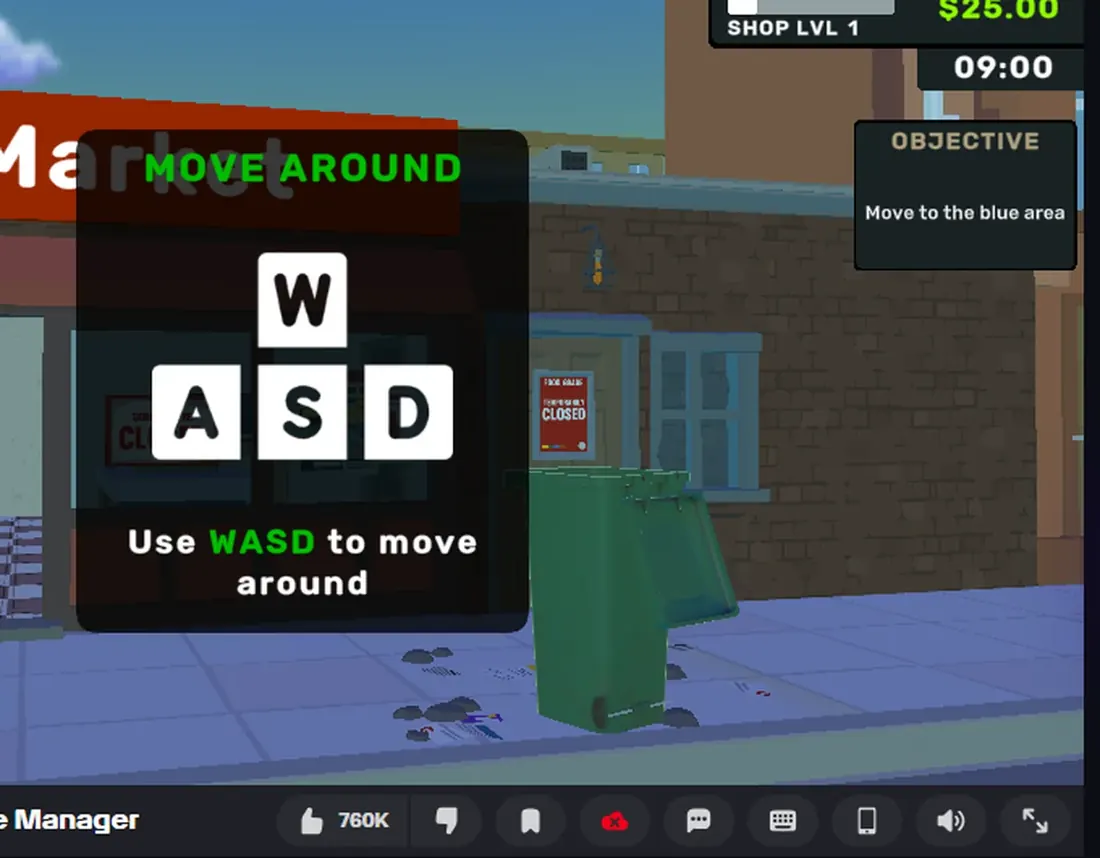
The chain
Look around— mouse only, no click. The card draws the mouse and says Use your mouse to look around.Move to the blue area—WASD; a glowing disc on the pavement outside marks the spot. The card draws the four keys.Name your Supermarket— aim at the sign above the door untilCHANGE NAMEappears, click it, the sign becomes a text field, type, pressDONE.MyMarketis only the default name.Choose when you want to work— the A-frame board on the pavement, which opensSET OPENING HOURS.Pick up that box— a cardboard box on the shop floor; the crosshair printsPICK UP.Press E to open the box— with the box in your hands,Ecuts it open and the contents appear inside the lid.Dispatch all products to the shelf by clicking on it— with the box open, the shelves that accept the goods glow green; click one.Throw your empty box into the bin outside— the empty box comes back to your hands and has to leave the building.
What the cards teach you about the game
Two habits come out of the chain. The first is that interaction is always named
on screen: CHANGE NAME, PICK UP, SET OPENING HOURS are the client telling
you what your crosshair is on, and they appear before you click. The second is
that a step is not complete until the cloth is laid: the shelf step is done when
the goods are on the shelf, not when you click, and the box step is done when
the box is in the bin, not when it is empty.
Time
The clock in the HUD sits at 09:00 for the whole chain. We did not see it move
once while working through the eight cards, which is why the third figure above
says zero game minutes: the tutorial is free.
Still open
We have not seen the card after the box. Our run stopped there, so whatever the
game asks of you next — opening the shop, serving a customer, both — is not on
this page. The page that covers it will be /checkout/, and it will stay marked
NEEDS CHECK until the cards are photographed the same way these eight were.
Last checked against the client: 2026-11-04 · client web build 2026-11-04