- TESTED the slot card, a new slot and the delete button, 2026-11-04
- IN-GAME MyMarket / LVL: 1 / DAY: 1 / CONTINUE
- OFFICIAL ONLY the portal banner reads Log in to save your progress
- NEEDS CHECK whether clearing site data wipes a slot, and whether the two spare slots survive a reload in every browser
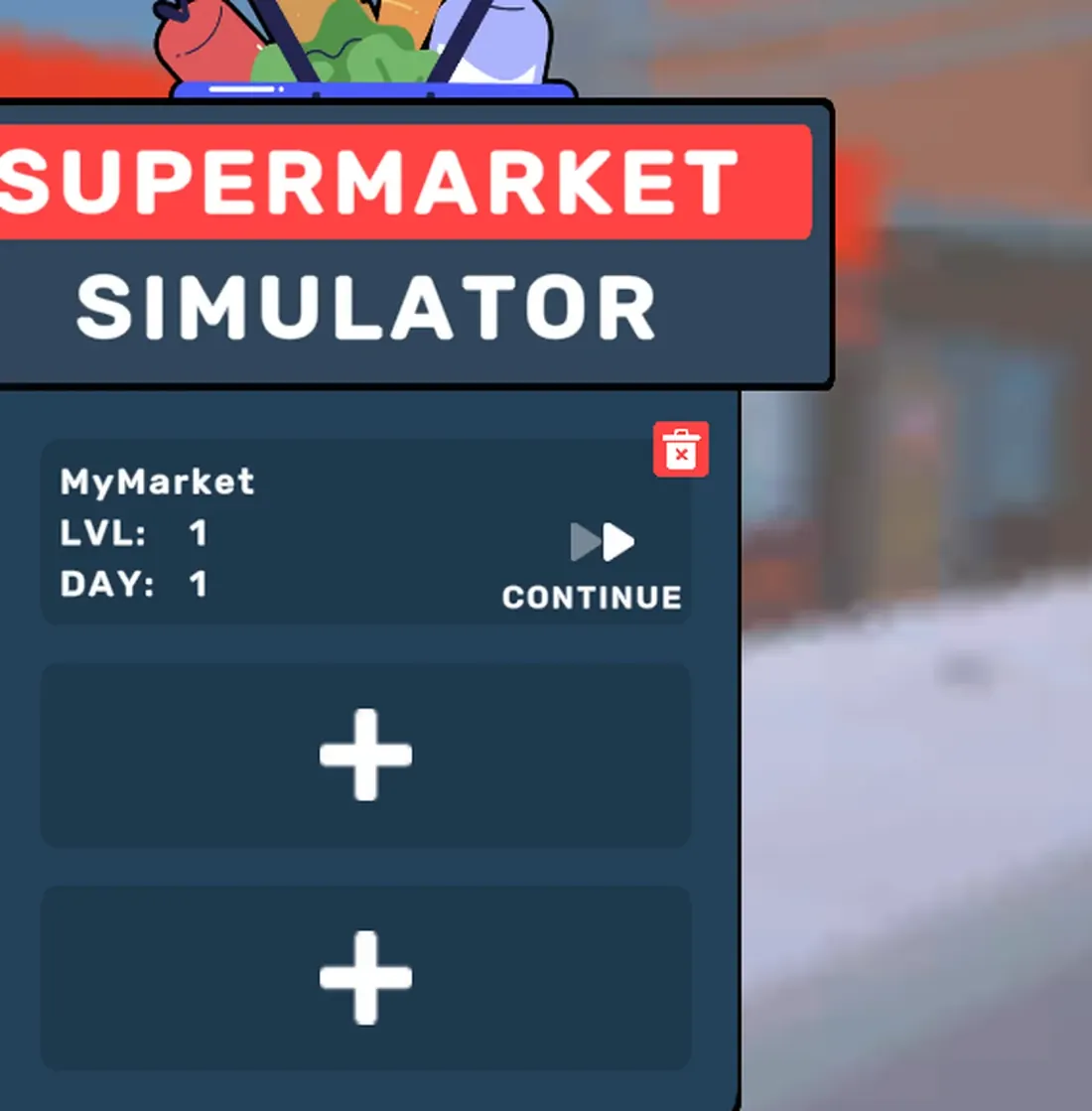
Three slots, printed plainly
The title card is a list, not a menu. One slot reads MyMarket, LVL: 1,
DAY: 1 with a CONTINUE arrow; two more slots sit under it marked with a +;
and each occupied slot carries a small red bin icon in its corner.
That is more information than most browser games give you. Before you open anything you know the shop's name, its shop level and which day the save is on — which is exactly the state the HUD will show you again once you are inside.
MyMarket is a default, not a fixed name: the third tutorial objective
(Name your Supermarket) lets you rename the shop on the sign above the door,
and the slot keeps the new name.
What "log in" changes
The portal prints Log in to save your progress! in a banner beside the game,
and the guest entry point is labelled Continue as guest. So the progress is
already being saved — the banner is selling the portal account, not a save
feature the game withholds.
What an account buys you is portability: the same slot on another machine. What it does not change is the three-slot structure on the title card.
Offline and the connection dialog
Loading one of the per-language builds directly (de_DE, es_ES) produces a
connection dialog in that language with two buttons: continue offline, or reload.
Continuing offline still reaches the title card and the save slots, which is how
we photographed the German wrapper for this site. The game text inside stays
English.
What this page will not claim
We have not cleared site data to see whether a slot disappears — that is the obvious way to test persistence, but it also destroys the saves we are using to write the rest of the site. Until someone does it, this page says where the saves appear, not how durable they are. The delete button is the exception: it is printed on every occupied slot, and it is the only save-related control the game gives you.
Last checked against the client: 2026-11-04 · client web build 2026-11-04