- TESTED the panel, the gauge, the needle and the caption, 2026-11-04
- IN-GAME YOUR REPUTATION, and the caption quoted below word for word
- OFFICIAL ONLY no store page mentions reputation at all
- NEEDS CHECK what moves it, whether it changes prices or traffic, and the full set of captions
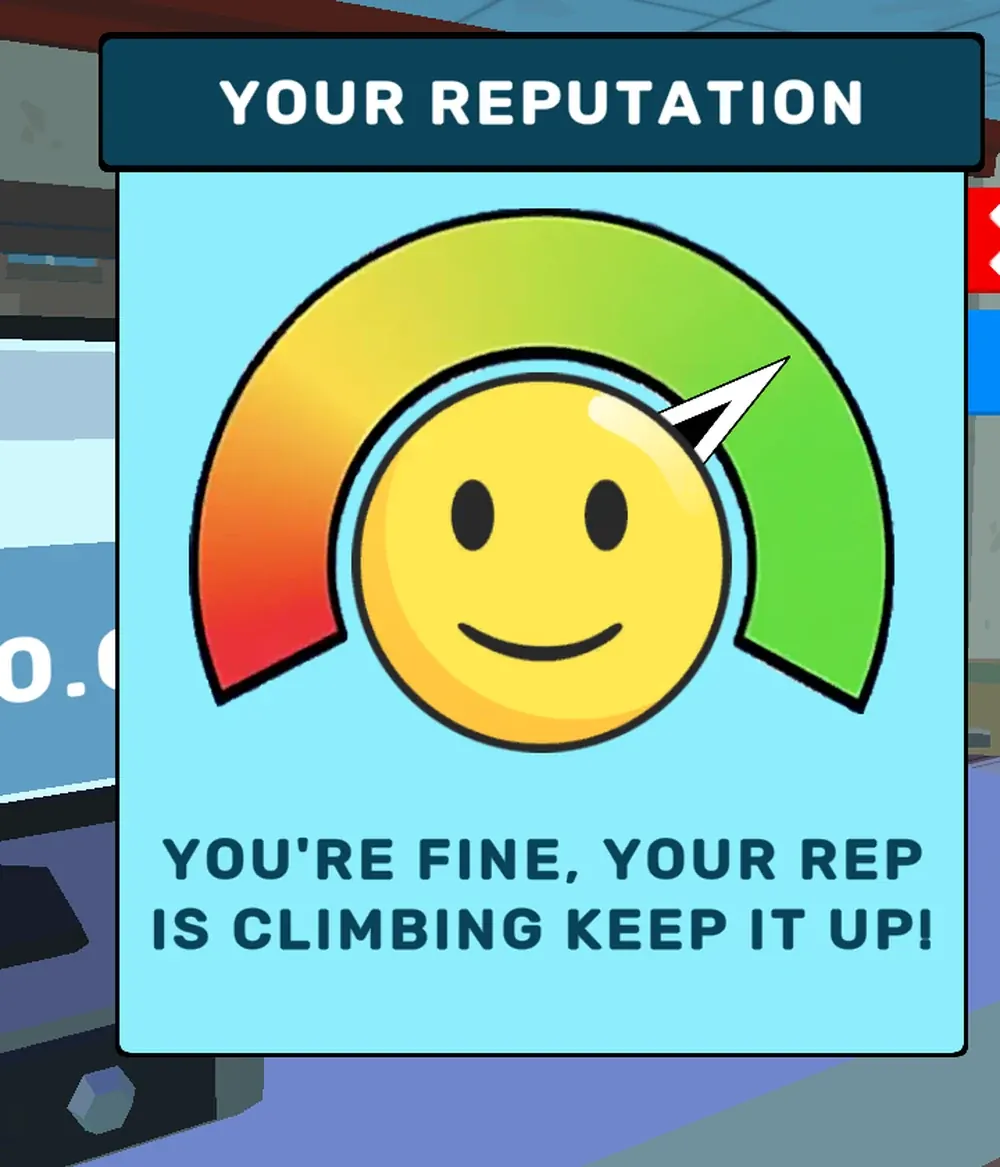
What the panel is
It opens over the shop as a modal: a title bar reading YOUR REPUTATION, a
light blue card, a red X to close and a blue ? for help. Nothing else on
screen changes while it is up, and the game keeps running behind it.
The gauge itself is a semicircle divided into three colour regions:
- red at the left end — the far side of the scale;
- yellow through the middle;
- green at the right end, where the needle sat for us.
A white needle rests on the arc. In our capture it pointed into the green band, roughly two-thirds of the way round from the left.
The sentence is the readout
Under the gauge the panel prints one line of prose, and it is written as encouragement rather than as data:
YOU'RE FINE, YOUR REP IS CLIMBING KEEP IT UP!
That is the whole measurement. There is no 72/100 anywhere, no percentage, and
no second screen with the history. Whatever the game tracks internally, the
player is told about it in a sentence that changes with the band — which means
the useful thing to record is the exact wording at each band, not a curve.
We have one of those sentences. The caption we have not seen is the one that appears when the needle is in the red, and we have not seen a mid-band sentence either, so the set is incomplete by design rather than by accident.
The six items the help button lists
The blue ? beside the reputation panel opens a second card headed
HOW TO LOSE AND GAIN REP, and it does not hedge — it prints the whole list as
two groups of arrows:
Lowers it (red arrow down)
Dirty storeOverpricingIncorrect change
Raises it (green arrow up)
Correct changeLow pricesClean store
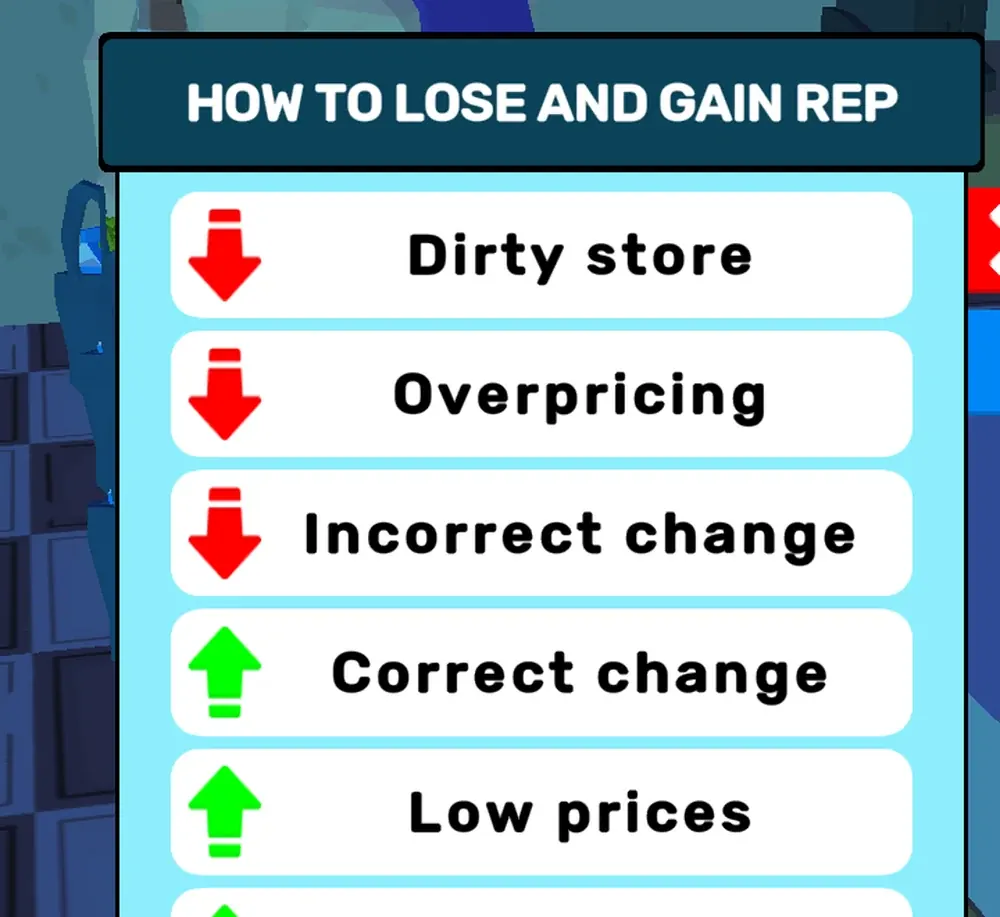
The game's own list, read off the ? button in the reputation panel.
That list is the most useful sentence in the whole build, because it answers three questions at once: change is judged (so handing back the wrong amount is possible and it costs reputation, which is what our till page left open), prices are something the shop controls (or the word "overpricing" would mean nothing), and there is a cleanliness system we have not touched yet.
What we have not established
- How much each item is worth. The card prints arrows, not numbers. One wrong change and one dirty floor may not move the needle equally.
- What it changes. The obvious candidates are customer count, patience and prices; none of them is printed anywhere we have read, so none is claimed.
- Whether it can fall. The list above says yes; we have never watched the needle move left, because we have not deliberately made change wrong.
Cleanliness is a system
Dirty store and Clean store appear on the same card, which means the shop
floor has a hygiene value and something acts on it — a bin, a mop, or simply
time. We have not cleaned anything and have not seen a dirt meter, so this is
listed as a system that exists rather than as instructions.
How to open it
R is the key the portal's control sheet gives as "rotate furniture when moving
/ see reputation", and that double duty is worth knowing before you press it
with a shelf in your hands.
Last checked against the client: 2026-11-04 · client web build 2026-11-04